
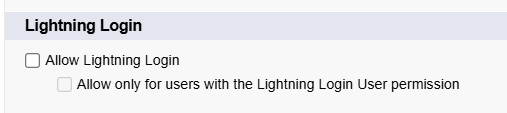
Related to yesterday’s email, instead of simply disabling Lightning Login for your user, you can (and probably should) disable it for the entire org.
This is done by going to Setup > Session Settings and set “Allow Lightning Login” to False.
As Salesforce rolls out this “added security”, I’ve noticed some orgs getting stuck in a weird state.
For one client, I log in with just a username, and then BitWarden asks me to authenticate with a passkey. I previously set up a passkey for this org, but then changed the domain name. So Bitwarden doesn’t see the matching passkey.
My only way forward is to abort the passkey route. The option to log in with a password is presented, and I can log in that way. But not all orgs offer a password option.
And I cannot add a new Bitwarden passkey because it first prompts for my existing passkey without the option to enter a password. LOL.
I’m concerned that the password option will disappear soon and I will be locked out.
The takeaway
I wish Salesforce made more effort to support login options before closing doors. So get ready for some turbulence.